Visual Studio Code
Use TokenOff for AI programming in VSCode through the Claude Code plugin.
Get API Key
Go to the API Keys page to create your API key.
Plugin
The VSCode Claude plugin includes the Claude Code executable, no separate installation required.
Install Plugin
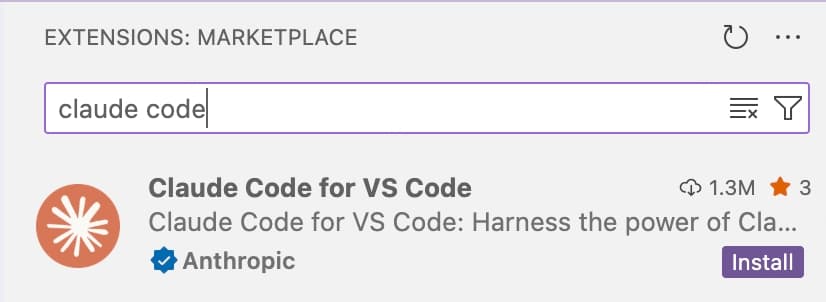
Install the Claude Code for VS Code plugin
Open Settings
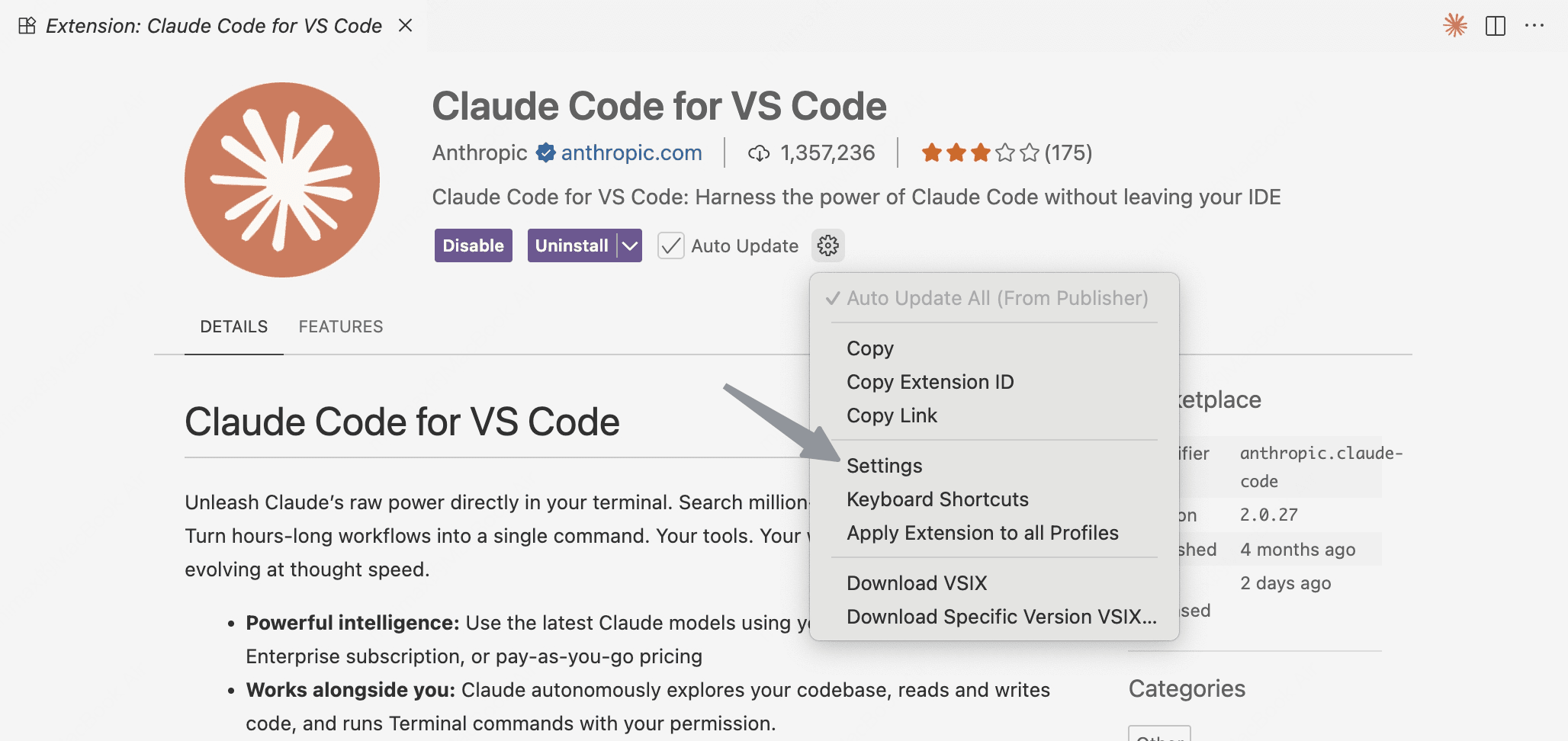
After installation, click Settings
Configure Environment Variables
Click Edit in settings.json

Change the claudeCode.environmentVariables variable to the following settings:
"claudeCode.environmentVariables": [
    {
        "name": "ANTHROPIC_BASE_URL",
        "value": "https://tokenoff.com/api",
    },
    {
        "name": "ANTHROPIC_AUTH_TOKEN",
        "value": "your_api_key_here",
    },
],
To use TokenOff service in the VSCode plugin, only the above two environment variables need to be configured. If you have used other providers, please remove unrelated configurations.
If the plugin is already installed, after saving the above configuration, you need to close the Claude Code panel. Reopen the Claude Code panel for the configuration to reload.
Environment Cleanup
If you have previously used Claude Code services from other providers, such as logging in with a Claude subscription service, please clean up your local environment as follows before using TokenOff, otherwise residual configurations may cause the API Key to be invalid.
-
Logout. After entering interactive mode, type
/logoutto logout.claude /logout -
Delete cache.
rm -rf ~/.claude
rm -rf ~/.claude.json
Troubleshooting
If you have followed the above configuration but there is no response when typing in the Claude Code panel, you can troubleshoot as follows:
-
Make sure the environment variables are configured correctly
-
Make sure to reopen the Claude Code panel after completing the configuration
-
View the logs as follows:
- Open the Task Log panel with the shortcut
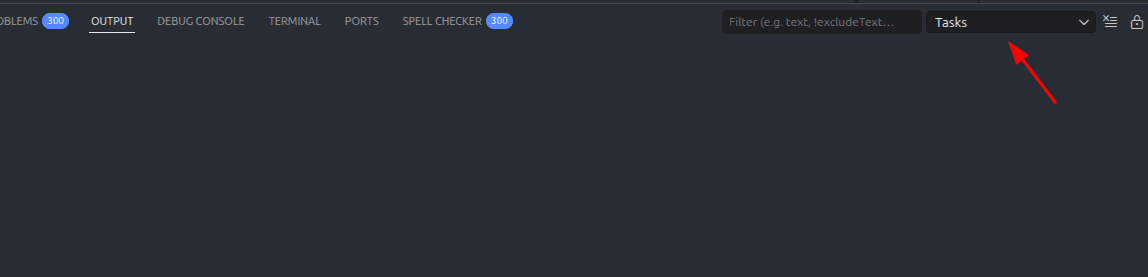
ctrl + shift + p, typeShow Task Log. SelectClaude VSCodefrom the Tasks dropdown. - Type anything in the Claude Code panel and check whether there is any log output in OUTPUT.
- If there are network issues, you may see logs like
2026-04-16 22:29:49.255 [info] From claude: 2026-04-16T14:29:49.255Z [ERROR] API error (attempt 4/11): undefined Connection error.
- Open the Task Log panel with the shortcut
Collect the information above as a problem description and contact us — we will help you resolve it as soon as possible.
Contact Us
If you encounter any issues while using TokenOff:
Contact us atsupport@tokenoff.comand other official channels for technical support
Submit an issue on ourGithubrepository